Install the cj44 app and keep the whole lobby in your hand
The cj44 app is a 58 MB Android build of the account you already use on the website: slots, live tables and football markets, with the bKash and Nagad cashier in the same window. Download the file once, install it, then log in. Nothing else about your account changes.
- Signed build
- Android 8.0 and up
- 24/7 Live Chat
Is the cj44 APK safe to install on your phone?
Log InAndroid makes you approve the file yourself, so it pays to know exactly what you are approving. Four points cover almost everything people ask live chat before they install.
One download source
Take the file from cj44.one only. Every button on this page opens /download/cj44.apk, and the name never changes. Copies forwarded through Telegram groups or free file hosts are not our build, even when the icon looks the same. Delete those and start again from here.
What the app asks for
Storage, so game artwork and the installer stay on the phone. Network access, to reach the lobby and the cashier. Notifications, for withdrawal updates and match alerts you switch on yourself. The app has no reason to read your SMS, contacts or photo gallery, and it never sends an OTP.
The unknown-sources screen
Android shows that warning for any app that does not come from Play Store, not just for this one. It is a system prompt, not a virus alert. Allow it for the browser you download with, install, then switch the permission back off when you are done.
Money stays behind the login
Deposits open inside the cj44 app, and your bKash or Nagad PIN is typed on the payment screen itself, never inside the app. Nobody from our team asks for a PIN, an OTP or a password in chat. If a message does, close it and report the account through 24/7 Live Chat.
What the cj44 app actually puts in front of you
See the casino lobbyOne login, two lobbies
The same phone number opens the slot shelf and the football coupon. Balances, bonus progress and withdrawal limits follow your account, so nobody ends up running a second profile by accident.
2,900 titles from five studios
PG Soft, JILI, Spribe, Playtech and Ezugi fill the lobby. Slots take the largest share, with fishing, crash, lottery and card tables placed alongside for players who prefer a two minute round.
Cricket and football in play
BPL, IPL and international fixtures sit beside the European leagues. Prices move while the match runs, and the bet slip stays pinned at the bottom so you can cash out without hunting for the market again.
Cashier built around bKash
Deposits start at ৳500 and usually land in about 4 minutes. Withdrawals from ৳1,200 clear review in roughly 33 minutes, with ৳30,000 a day available on the base tier before VIP steps in.
Small stakes, short sessions
Instant games open at ৳1 and most slots at ৳2, which keeps a few rounds cheaper than a cup of tea. Set the stake per game before the first spin and it stays where you left it.
Help without leaving the table
Live chat runs around the clock from inside the app. Send a deposit reference and the agent can pull the ticket while you wait, without asking you to open a browser or lose your place.
Which games open fastest on mobile data
Football guide
The cj44 app keeps the artwork for the games you open most on the phone itself. A second visit to Dino Hunter or Mines starts faster than a fresh browser tab, which matters on a 3G connection between classes or on the way home.
Everything else streams from the same servers as the website, so a title missing from the app is missing from the site as well. Filter by provider and the grid rebuilds in a second or two.
Football and cricket markets cost almost nothing to load. That is why a match night on the app survives a patchy connection while a slot shelf can stall on the same signal.

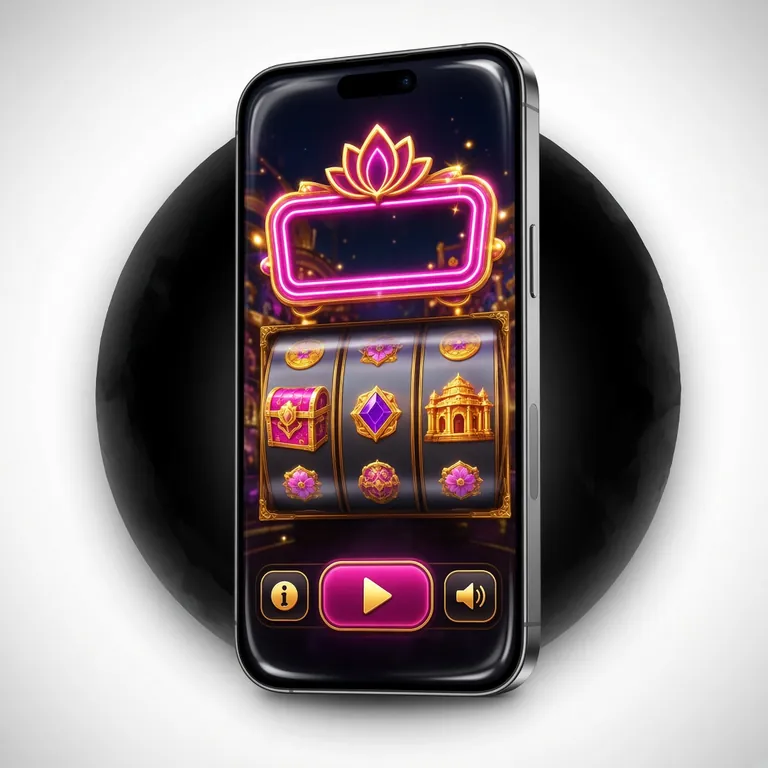
Five steps from the file to your first spin
Register first-
01
Allow the browser
Open Settings, then Apps, then Special access, then Install unknown apps. Pick the browser you download with, say Chrome, and switch Allow from this source on. Android asks once per browser.
-
02
Take the file
Tap Download APK. The file is cj44.apk and weighs 58 MB, so give it a minute on mobile data. Keep the screen on and the screen unlocked; a sleeping phone can pause a large download mid-way.
-
03
Open the installer
Pull down the notification shade and tap the finished download, or open Files and find it in Downloads. Android shows the app name and the permission list before it writes anything to the phone.
-
04
Confirm and wait
Tap Install. Play Protect may add a second screen: choose More details, then Install anyway, but only when the file came from cj44.one. Unpacking takes a few seconds on a mid-range phone.
-
05
Log in and play
Open the cj44 app and sign in with the number and password you already use. New to the site? Create the account first, then return here. Your opening deposit carries the 145% welcome bonus.
On iPhone or iPad: add the site to the home screen
There is no APK for iOS. Safari can pin the mobile site as an icon that opens without the address bar, and it stays signed in between sessions.
- Open cj44.one in Safari. Chrome on iOS cannot create the icon, so switch browsers first.
- Tap the Share button in the toolbar, scroll the sheet and choose Add to Home Screen.
- Name the shortcut cj44 and tap Add. The icon now opens the full lobby with your saved login.
Storage check before you start
The installer needs 58 MB, and Android wants roughly the same again free while it unpacks. If your phone reports under 300 MB of free space, clear old videos or chat media first.
After install, the app grows as it caches game art. Clearing cache from Android settings resets it without touching your account.
Version 2.1.6 and what the file needs
cj44 LoginOne build covers every Android phone sold in Bangladesh in the last few years. Nothing is downloaded again when you switch from Wi-Fi to mobile data, and the login survives a restart.
- Version2.1.6
- File size58 MB
- Minimum Android8.0
- Last updated10 Nov 2026
- PriceFree
File namecj44.apk58 MBversion 2.1.6
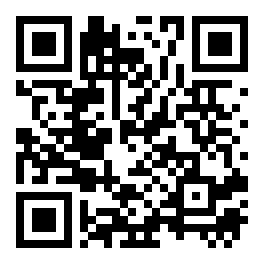
Reading this on a laptop? Scan the code with your phone camera and the download starts on the handset instead.
| Item | Detail | Value |
|---|---|---|
| Package version | Current Android build served from this page | 2.1.6 |
| Download size | Installer only; cached game art adds more later | 58 MB |
| Minimum Android | Older handsets cannot run the lobby reliably | 8.0 |
| Release date | Latest update pushed to the download link | 10 Nov 2026 |
| Price | No charge for the file or for keeping it installed | Free |
| Languages | Interface and help desk | English, Bangla |
| Games inside | Slots, live tables, crash, fishing, football | 2,900 |
| Support | In-app chat, every day of the week | 24/7 |
The version number on your phone should match 2.1.6 after a fresh install. A smaller number means an older file is still on the device, and the withdrawal page may refuse to open until you replace it.
App or mobile site: which one fits your phone
Withdrawal guideBoth routes reach the same account and the same balance. The difference is how the screen behaves, how much data a session costs, and how much space the phone gives up.
| What you compare | cj44 app | Mobile site |
|---|---|---|
| Getting started | One 58 MB file, then a short install | Nothing to install, open the address |
| Android version | 8.0 or newer | Any phone with a current browser |
| Repeat visits | Game art already cached, so pages open quicker | Reloads the lobby each time you open a tab |
| Games on offer | All 2,900 titles | Same 2,900 titles |
| Cashier | bKash, Nagad, Rocket, Upay; deposit about 4 minutes | Same methods, same 4 minutes |
| Withdrawals | ৳1,200 minimum, about 33 minutes | ৳1,200 minimum, about 33 minutes |
| Updates | You download a new APK when 2.1.6 is replaced | Newest build every time you load the page |
| Storage used | 58 MB plus cached artwork | Nothing beyond normal browser cache |
| Best for | One phone you use every day | Shared handsets or a borrowed device |
Pick the app when the same handset carries your account all week and the data bundle is tight. The cached shelf keeps the lobby usable on a weak signal, and the pinned bet slip makes a football evening smoother than a browser tab.
Stay on the browser when the phone is shared, when storage is nearly full, or when you only play a few times a month. Nothing needs updating by hand, and the newest build arrives the moment the page loads.
When the install stops halfway
More answers| What you see | Why it happens | What to do |
|---|---|---|
| App not installed | An older cj44 build is still on the phone and the two signatures clash. | Uninstall the previous version, note your login number, then install 2.1.6 again from this page. Your balance stays on the server, not on the phone. |
| Parse error or corrupt file | The download stopped early on a slow connection, leaving a partial 58 MB file. | Delete the incomplete file, switch to Wi-Fi and download once more. If your file manager shows a size well under 58 MB, it never finished. |
| Install button greyed out | Install unknown apps is off for the browser that saved the file. | Open Settings, Apps, Special access and switch the permission on for that exact browser. Repeat the install from the notification, not from a chat app. |
| Play Protect warning | Google has not seen this package signature before, so it asks first. | Tap More details, then Install anyway, but only if the file came from cj44.one. If the source is a forwarded link, cancel and download fresh. |
| Blank screen after login | Cached data from an older build is still sitting in storage. | Close the app fully, then clear cache in Android settings and open it again. A phone below Android 8.0 cannot render the lobby, so use the mobile site there. |
Still stuck after a second try?
Open 24/7 Live Chat and send three things: the version number from your phone settings, the exact error text, and the Android version. That is enough for an agent to tell within a minute whether the file or the device is the problem.
Do not send a PIN, an OTP or a password. No support agent needs any of them to read an install log.
A home-screen shortcut beats retyping the address
One file, 58 MB, taken straight from cj44.one.
-
Opens on the lobby, not a login page
The icon sits next to your other apps and loads the game wall in one tap. No address bar, no saved bookmark to hunt for.
-
Cashier in the same window
Top up with bKash, Nagad, Rocket or Upay and see the balance move without switching to the browser. Minimum top-up is ৳500.
-
Withdrawal updates you switched on
Ask for a payout and the app tells you when it clears, usually within 33 minutes on a normal day. Turn alerts off in your phone settings any time.
-
One download, then it lives on the phone
58 MB pulled once over Wi-Fi. Later builds arrive as a new APK file, so you never need a store account to update.
Point your phone camera at the code to pull the same file. Version 2.1.6, Android 8.0 and up, free.
Questions players send before installing
Open an accountIs the cj44 APK safe to install?
The file served from cj44.one carries our build signature, and the name never changes between releases. Android will still warn you because it is not on Play Store, which is normal for any direct download. Install, then switch the unknown-sources permission back off until the next update.
What does my phone need to run it?
Android 8.0 or newer, 58 MB free for the installer and roughly the same again while it unpacks. Anything older than 8.0 should stay on the mobile site, where the lobby still loads without the app. Check the version under Settings, About phone.
Do I lose anything by switching from the website?
No. The app opens the same account with the same balance, bonus progress and withdrawal limits. Log in with your existing number and password rather than registering again; a second profile splits your turnover and slows the VIP ladder down.
Does the app cost anything to download?
The file is free and there is no subscription. Your mobile operator may still charge for the 58 MB of data, so use Wi-Fi where you can. Nothing inside the app is paid until you choose to deposit, and the minimum deposit is ৳500.
How do I update to a newer build?
Return to this page and tap Download APK again. The new file installs straight over the old one without touching your login, as long as both come from cj44.one. You do not need to uninstall first unless Android reports a signature mismatch.
Can I use it on an iPhone?
There is no iOS build, so an APK cannot be installed on an iPhone. In Safari, use Share and Add to Home Screen instead. The icon opens the full lobby without the address bar and keeps you signed in, which covers most of what the Android app does.
The install failed and now nothing opens. Where do I start?
Clear the partial file from Downloads, check free storage, then download once more on Wi-Fi. Nine times out of ten the first attempt simply never finished. If the error repeats word for word, send the exact text to 24/7 Live Chat along with your Android version.
18+ · Play Responsibly. Set a deposit limit before your first session and keep the app off your phone during work hours if that helps. Gambling can be addictive; a budget and a time limit written down first are easier to keep.